
cards, Catalogues, Stampin' Up!, Techniques, Tutorials

WEDNESDAY’S WOW! #163 – TRY A WATERCOLOUR WASH ON YOUR IMAGES

Wednesday’s WOW! #163 – A Watercolour Wash on your images.

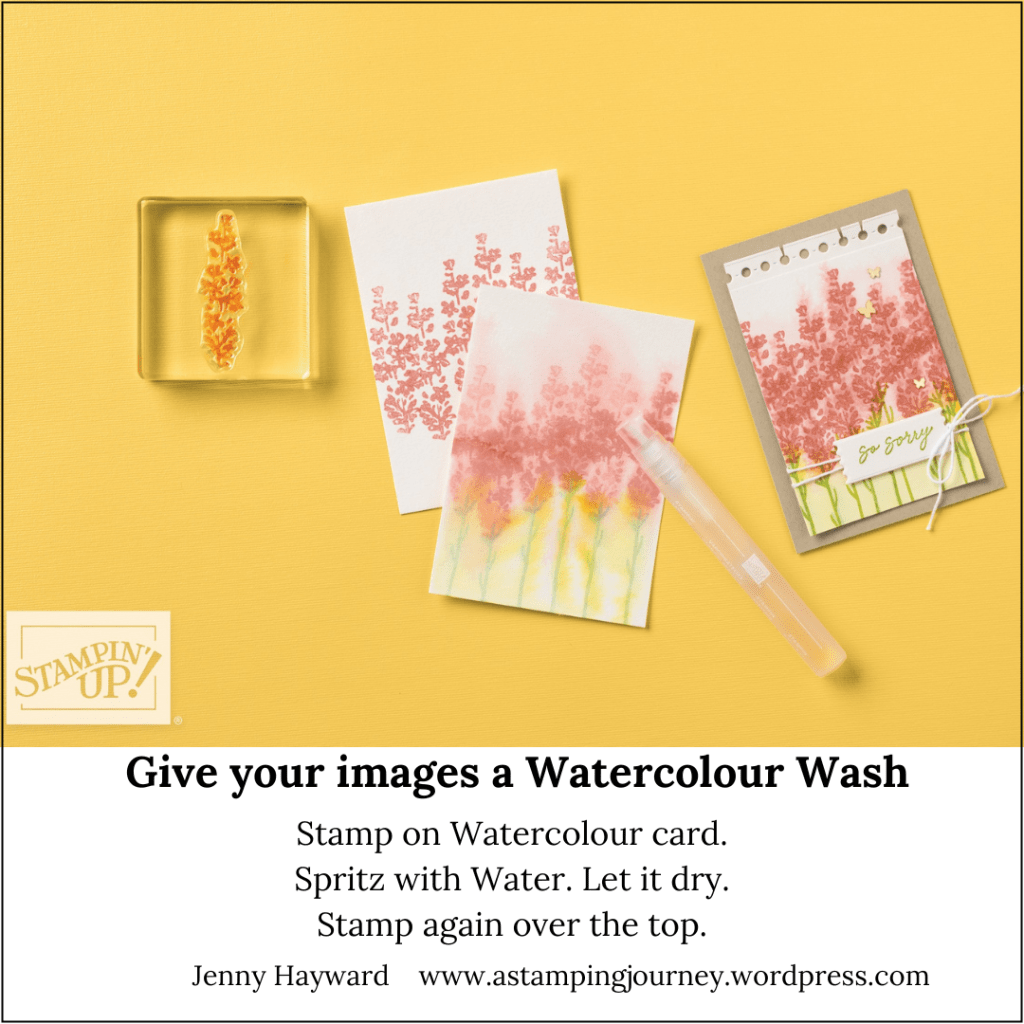
You might have tried Watercolour Washing over your card to create a background, but have you tried giving your stamped images a wash? It creates a really soft look.

Stamp your image on to Watercolour Paper. This one uses the Painted Lavender stamp set. Spritz over the image lightly with water. Allow to dry for a short time. Then stamp over the washed area again with the same image. You will get a mottled look with a wash in the background. It looks really lovely.

Hope you get to try it out. I have added this image below so you can save it to try later.
Happy Crafting,

Jenny

In Australia and need supplies? I would love to serve you.

Head to my store -> HERE. Please use the Host Code: JTRANKN3

OR contact me and I can help you out.

Don’t forget it’s Bonus Day. When you order over $90 in one order you will receive a $9 bonus voucher to redeem in August.

cards, Catalogues, Stampin' Up!

WEDNESDAY’S WOW! 162 – USE YOUR CATALOGUE FOR INSPIRATION ~

Wednesday’s WOW! #162 – Use Your Catalogue for Inspiration.

Do you struggle with creating sometimes?

You can find so much inspiration with the projects in the catalogue.

  • Copy them as they are.
  • Give them a twist in direction.
  • Change the colours.
  • Use a different stamp set or other products.

I was looking for ideas for the Unbounded Beauty Suite and came across this card on page 53 of the catalogue. Then changed it a little for my card.

I created a larger frame and added a sparkly leaf spray with the In Color Glimmer Specialty Paper. I used a piece of the Unbounded Beauty Designer Series Paper for the mat behind the white card. The sentiment is from the Simply Said Stamp set.

So next time you are stuck with inspiration, pull out your catalogue.

Don’t have a catalogue?

You can view the catalogue online now -> HERE.

OR contact me and I can send you a paper copy out. (Australian residents only).

Happy Crafting,

Jenny

cards, Stampin' Up!, Techniques

WEDNESDAY’S WOW! #161 – CREATE YOUR OWN EMBELLISHMENTS!

Wednesday’s WOW! #161 – Creating your own Embellishments.

Do you want to know a fun way of creating your own embellishments or accents? So easy. Let me show you.

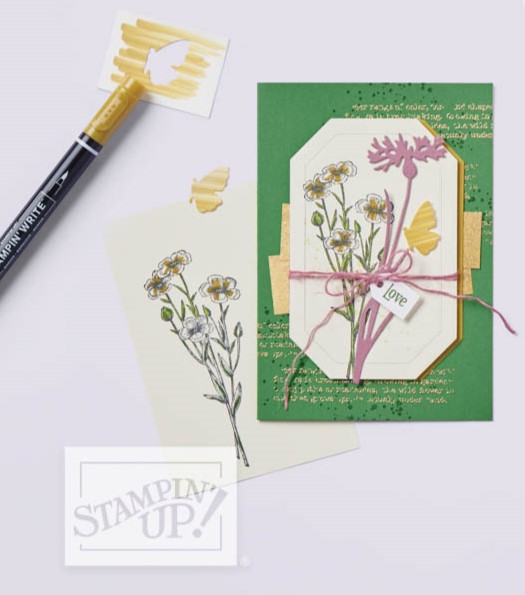
Colour a piece of card with your Stampin’ Write Markers. You want to use the Markers rather than the Stampin’ Blends as you don’t want the colour to blend. It gives you the mottled, rough look.

Once you colour your card diecut it or punch it out and add it to your projects. It will give added texture to them.

See how it looks below.

This card is using the Quiet Meadow stamp set. What dies or punches could you use with this effect?

Hope you get to try it yourself.

Happy Crafting,

Jenny

Need supplies for your crafting and you are in Australia? You can head to my store -> HERE. Please use the Host Code: RWTF7DW9

OR Contact me directly.

Don’t forget the Last Chance and Clearance Rack items to save on your crafting supplies.

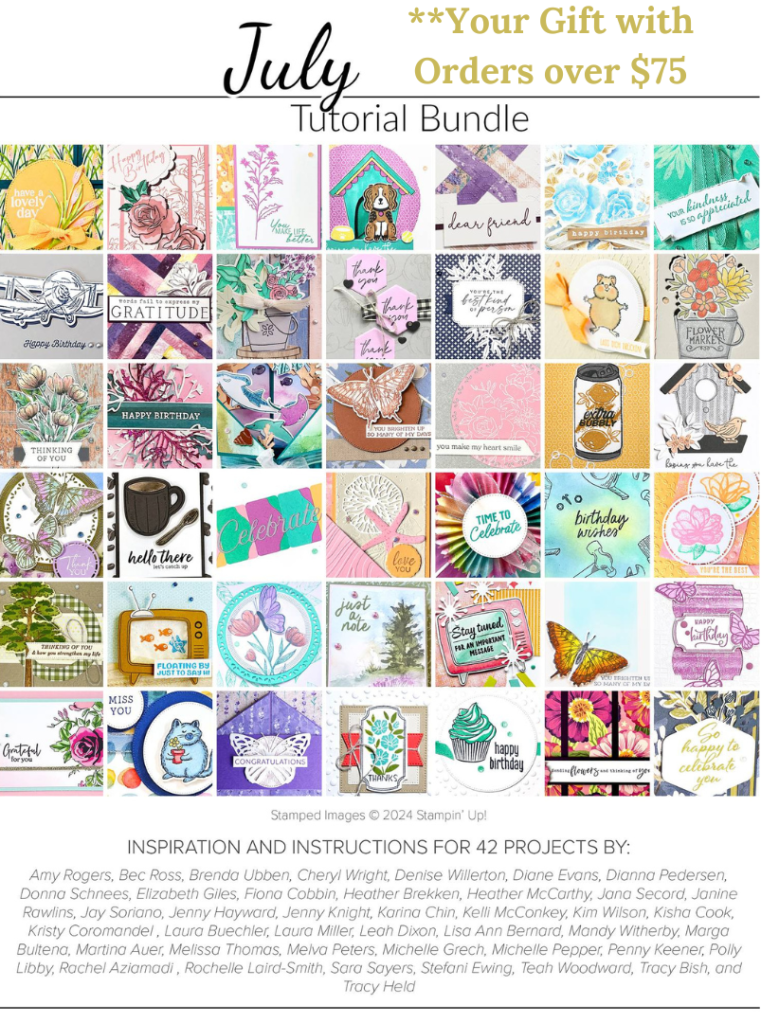
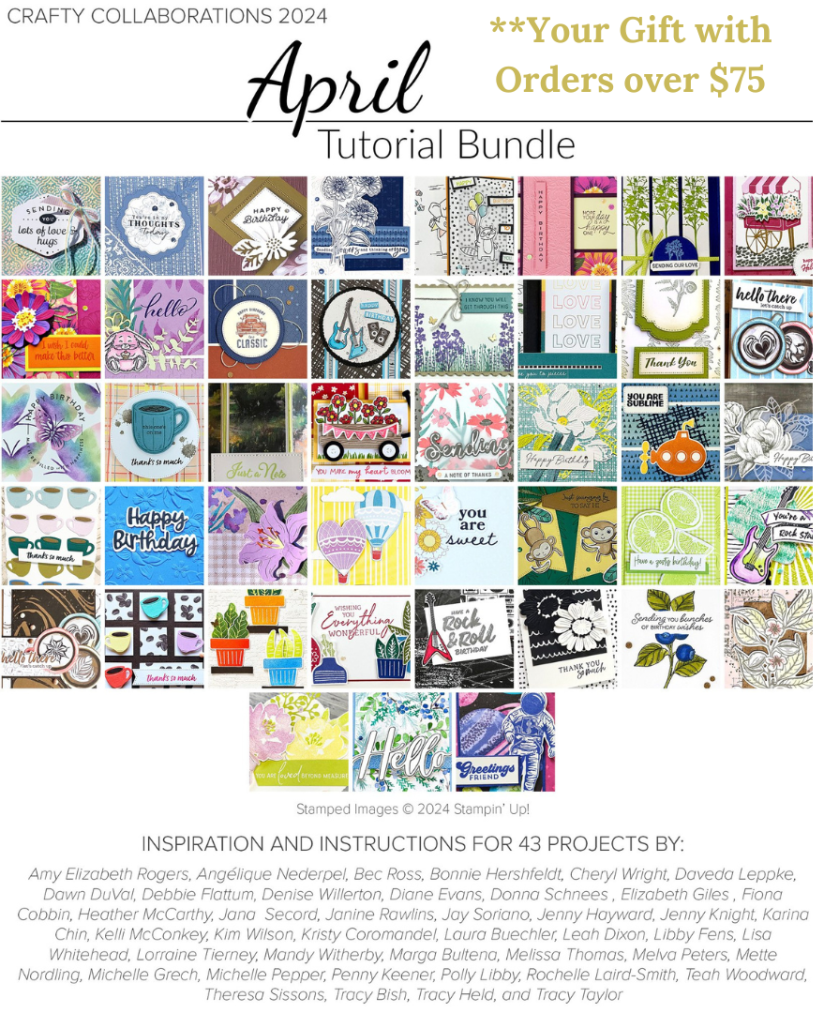
When your order is over $75 AUD. You will receive a Bonus Tutorial Bundle of over 40 projects. That will keep you inspired for some time.

Catalogues, Stampin' Up!, Techniques

WEDNESDAY’S WOW! #160 – USING THE TAKE YOUR PICK TOOL!

Do you love the Take Your Pick Tool? It’s like a Swiss army knife for crafters. 🙂

Wednesday’s WOW! #160 – Let’s look at just some of the features of the Take Your Pick Tool.

About the Take Your Pick Tool:

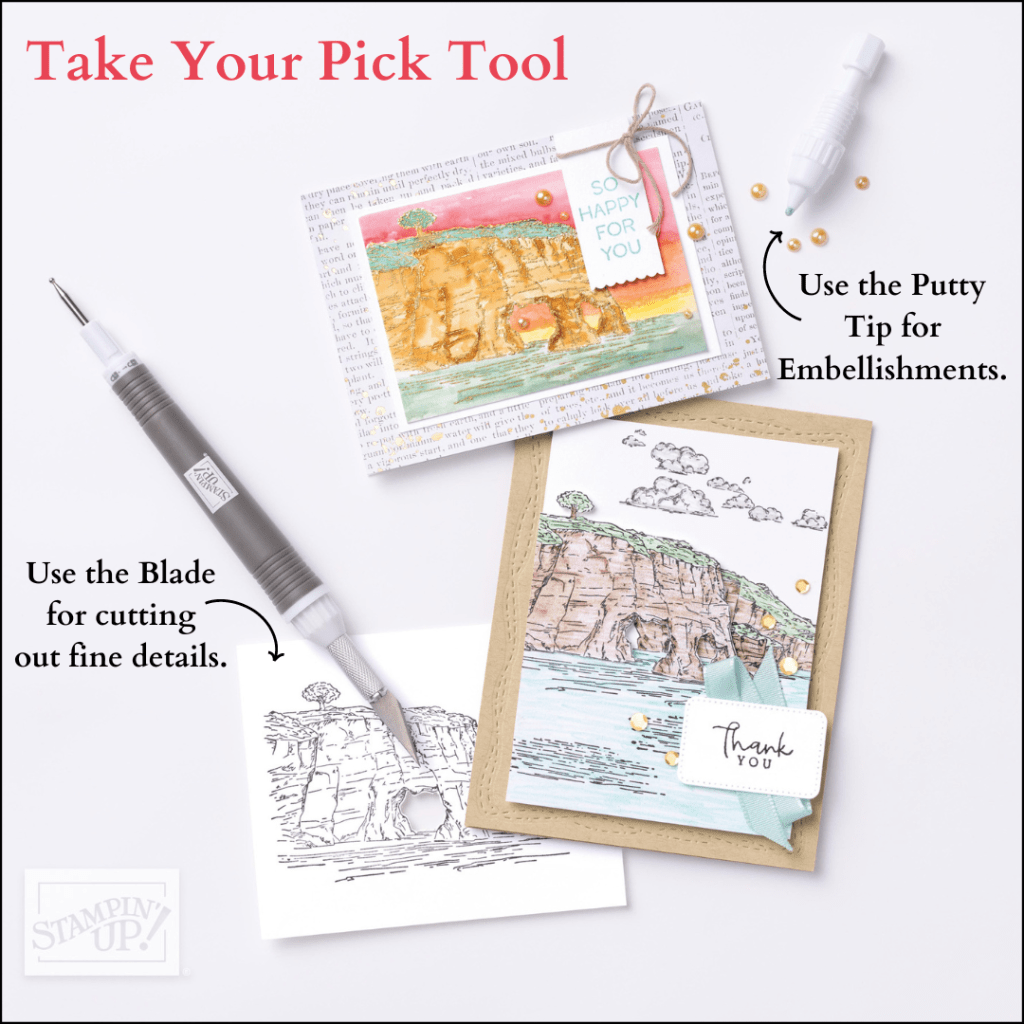
  • It is a Multipurpose Pickup and Precision tool simplifies some of the fiddly crafting tasks.
  • The Tacky Putty end easily picks up sequins, paper accents, and other small objects; twist to dispense more putty. There is also a Putty Refill that you can replace on the tool when you run out. AND TIP: Don’t sit there fiddling and twisting the end when you are not noticing. Ask me how I know …
  • The other end has 2 changeable, double-ended tips with paper piercer, mini spatula, small stylus, and large stylus. See I said it was a the Swiss Army Knife.

Here is the Take Your PickTool plus the extra Attachments.

There is the Take Your Pick Die Brush attachment. This will help remove those tiny little diecuts from the dies when diecutting.

There is also the Take Your Pick Crafter Tips. These tips include:

  • The Hobby Blade for precision cutting.
  • A Double-Ended Pick Tip for piercing or removing pieces from intricate die cuts.
  • And a Rotary Perforating Tip for cutting perforated patterns. 

These tips fit onto the Take Your Pick Tool to give you even more crafting tools to work with! Simply remove a tip from the tool and insert a different tip for the task you need. 

What a versatile Tool! It certainly makes some of those crafting tasks that much easier.

See it in action.

You can see it more in my store -> HERE.

If you need assistance you can contact me directly if you are in Australia. Or shop in my store at the above link.

Happy Wednesday crafting,

Jenny

cards, Techniques

WEDNESDAY’S WOW! #157 – TIPS FOR TYING BOWS

Wednesday’s WOW! #157 – Tip for tying your bows.

Do you struggle with tying bows on your cards?? I get a groan every time in class when I say we have bows to do.

Here’s a tip that might help you.

Wrap the ribbon around a block or you could try an inkpad. These are a little more sturdier to tie the ribbon which helps. Tie your bow then snip the ribbon at the back. Then you can add the the ribbon to the card by tying the ends around the back.

Give that a try. I hope it helps you.

Happy Crafting,

Jenny

Need to order some crafting supplies? Head to my online store -> HERE. Or you can contact me directly.

cards, Stampin' Up!, Techniques

WEDNESDAY’S WOW! #156 – USE BOTH DAISY DIES AT THE SAME TIME FOR DIFFERENT COLOURS!

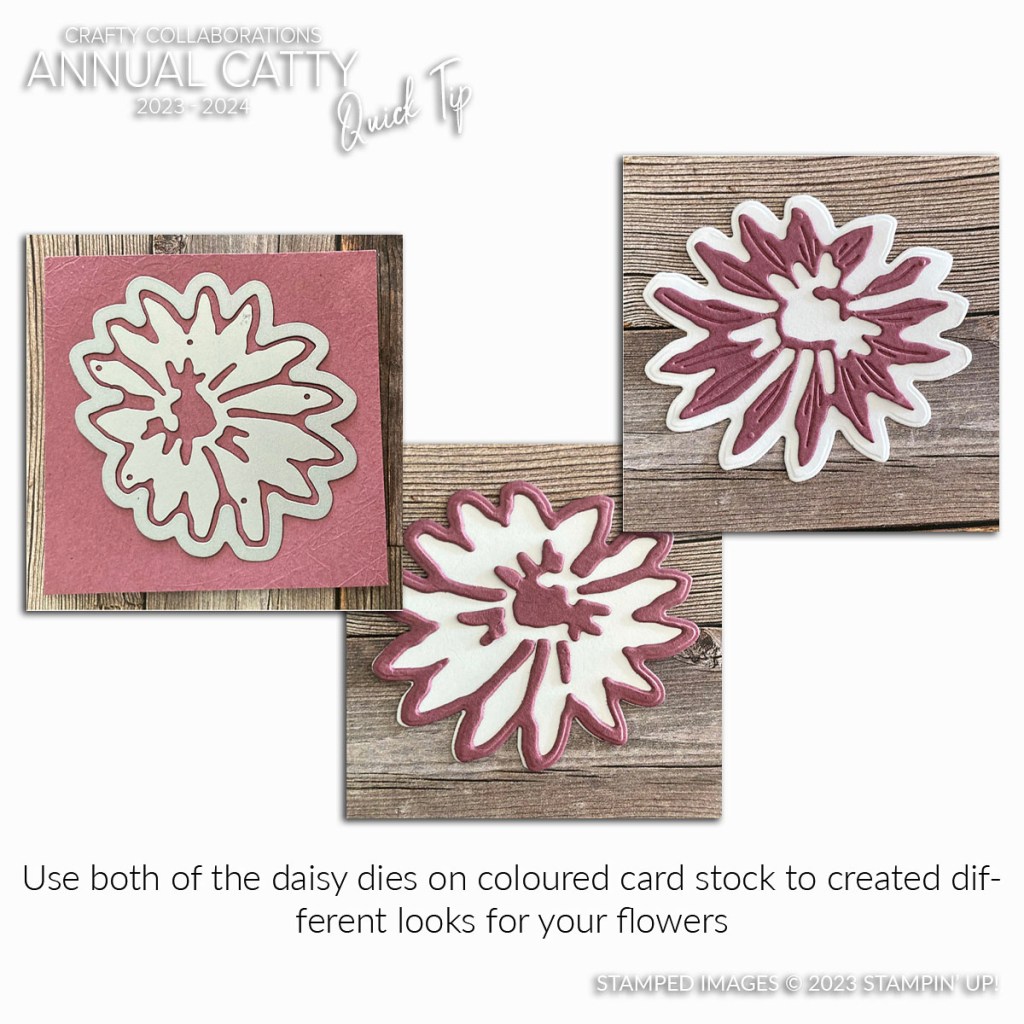
Wednesday’s WOW! #156 – Use both Daisy Dies at the same time for different coloured flowers.

This is a great effect. If you don’t have the Daisy Dies you could use any layering flower dies.

How it works? Layer the dies together on one coloured card and diecut out. Diecut again on a different coloured card. This works well with white and another colour.

Swap over the different shapes and layer them together for a different look.

Try it out with what you have.

For more tips be sure to stop by often. Especially for our Wednesday’s WOW! You can search for other tips I have shared in the past by doing a search in the tags. There could be lots of helpful tips for your crafting.

Happy Crafting,

Jenny

Need some help with your crafting or to order?

I would love to help you out. Contact me directly

OR you can head straight to my store -> HERE. Please use the Host Code: DGASD34B

cards, Stampin' Up!, Techniques, Tutorials

WEDNESDAY’S WOW! #155 – CREATE A LAYERED LOOK WITH MASKING!

Wednesday’s WOW! #155 – Create a layered look with Masking.

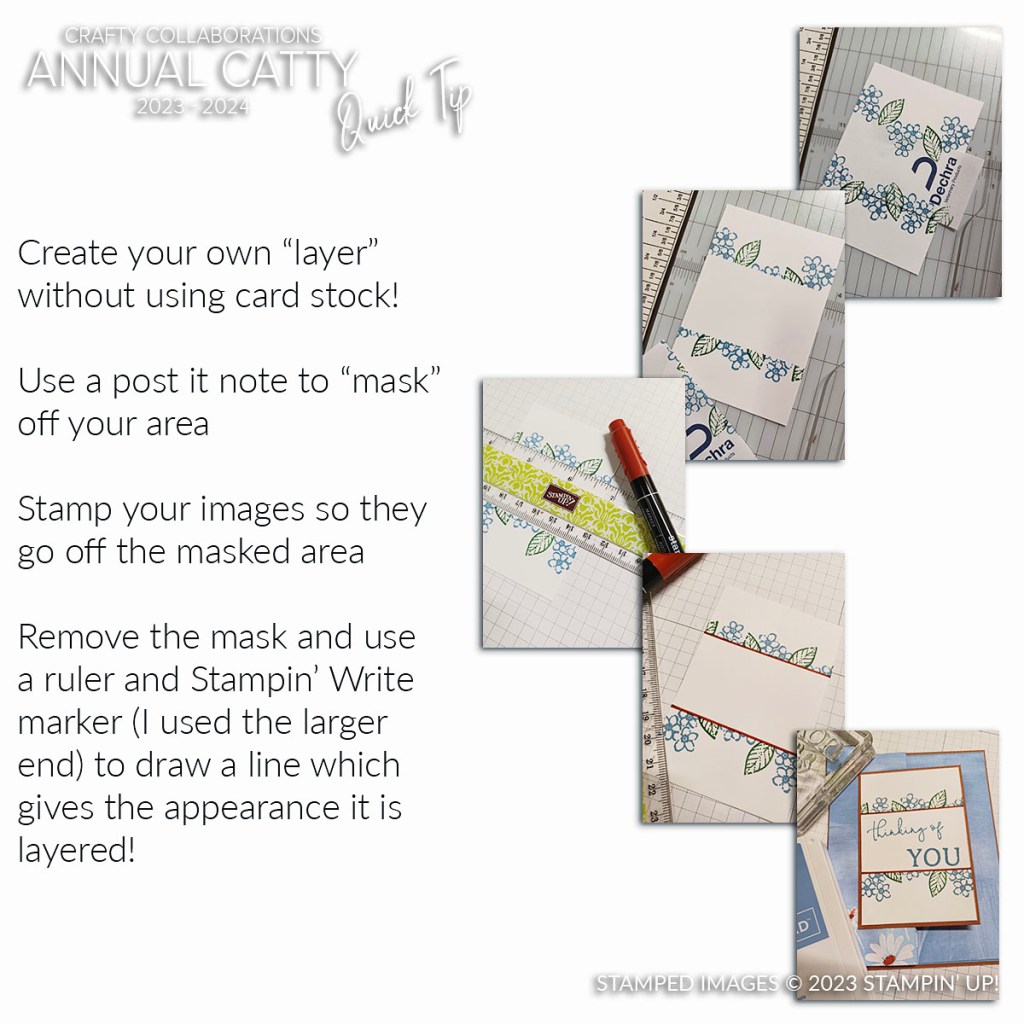
Here is a way to create a great effect on your One Layer cards (as in just a card front) by giving the look of layers using a mask. See how.

To create the look firstly use a post it note to mask off an area. You can position it across ways or even at an angle.

Stamp your images so they stamp over the edge of the masked area on to the card. Remove the mask. You could leave it as it is and stamp your greeting BUT to give the look of a layer. Use a ruler and Stampin’ Write Marker (Thick Tip) and draw a line. This highlights the section.

What do you think? How about trying this on a project and see how it looks.

Happy Wednesday.

Jenny

Need some supplies and you are in Australia? I would love to serve you. You can head to my store and shop Online -> HERE. Please use the Host Code: DGASD34B

OR Contact me directly.

Catalogues, Classes, Stampin' Up!, Tutorials

WEDNESDAY’S WOW #154 – GETTING A CRISP STAMPING

Wednesday’s WOW! #154 – How to get a crisp stamping with Photopolymer stamps.

Sometimes when you stamp with Photopolymer stamps you don’t get the crisp stamping result that you would like. Do you find that?

I have particularly recently BUT I have a couple of tips for you to be sure to get a better stamping.

Firstly when stamping give your Photopolymer stamps a clean with the Stampin’ Mist and Scrub. This will remove some of the residue from production. You could use an eraser too.

Then when you stamp be sure to have something underneath your card. The Piercing Mat or even a catalogue. It will give you a little “bounce” and your stamped image should be much more crisper.

Did you find that helpful?

Happy Stamping,

Jenny

Are you in Australia and need supplies?? I would love to serve you.

Contact me directly

Or Head to my store -> HERE and order. Please use the Host Code: 9U6Y3AFW

cards, Stampin' Up!, Techniques

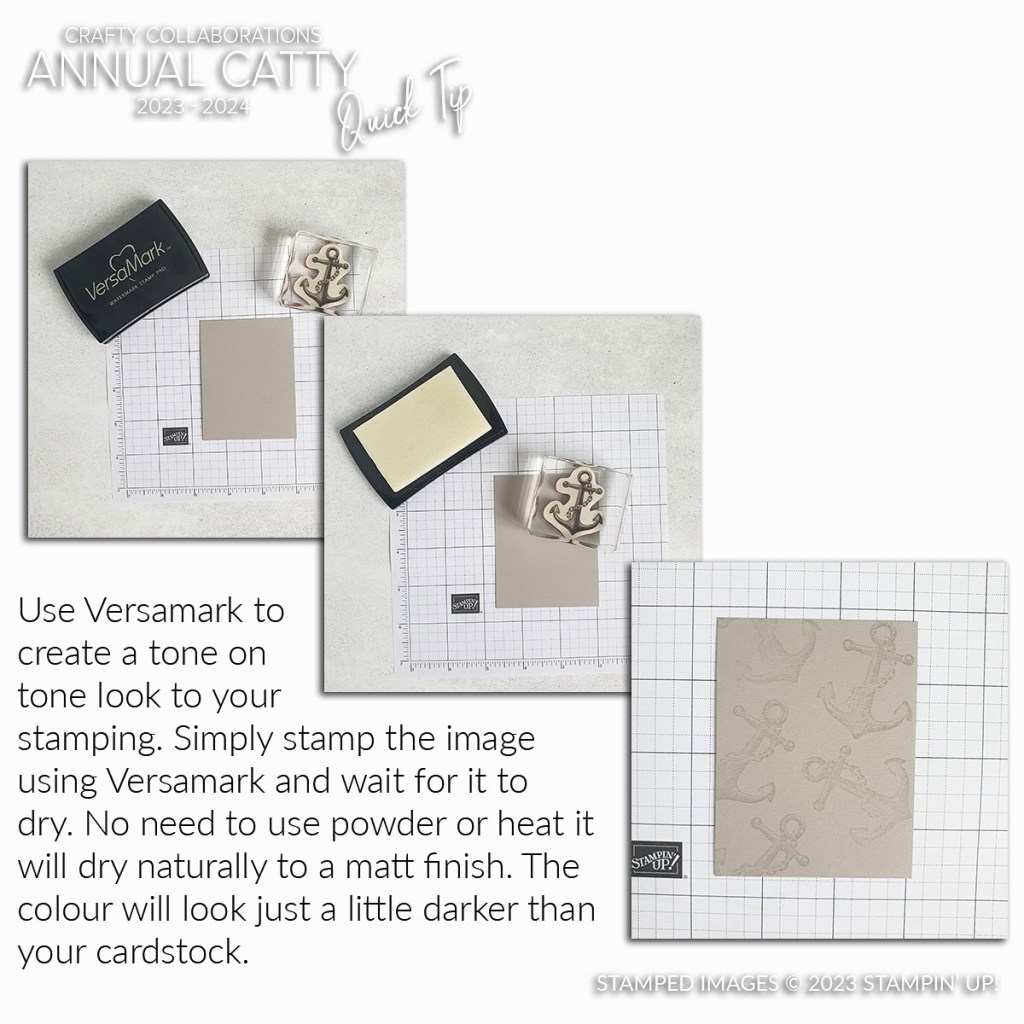
WEDNESDAY’S WOW! #153 – TONE ON TONE WITH VERSAMARK

Wednesday’s WOW! #153 – Get a Tone on Tone effect with Versamark Ink Pad.

The Versamark Ink Pad is what you need to use when Heat Embossing. You ink the images with Versamark before adding your powder to heat up.

BUT Versamark is great to give a Tone on Tone effect. It’s really effective but also good if you don’t have the matching ink pad. You can use Versamark to stamp the images on the card and it gives a slightly darker tone. It does look cool!

Have you tried this?

What other ways have you used Versamark? Drop me a comment to let me know.

Hope you pull out your card and ink and start creating soon.

Happy Crafting,

Jenny

If you need some supplies and you are in Australia I would love to serve you. You can contact me directly

OR head to my store -> HERE. If ordering Online Please use the Host Code: PGECWEG9.

Thanks for shopping with me.

cards, Catalogues, Techniques

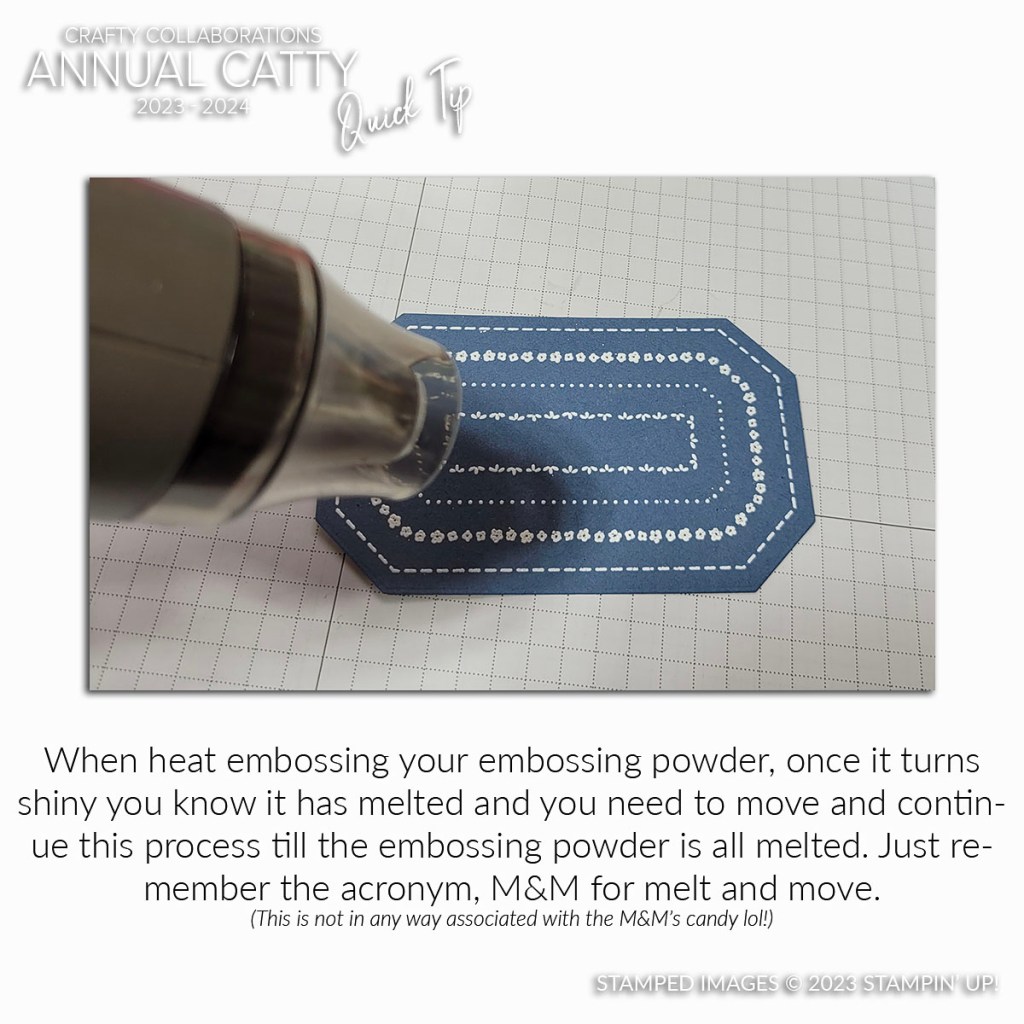
WEDNESDAY’S WOW! #152 – M&M

Wednesday’s WOW! #152 – M&M.

What???

Melt and Move. Not the chocolate variety. Although that would be nice right now …

Think M&M when you are Heat Embossing. That is Melt and Move.

Once your Embossing Powder turns shiny when heating you know that it has melted. Don’t stay heating there or it will burn. Keep on moving along to the next section.

So next time you are Heat Embossing think M&M.

Now I think I need some M&M’s. Some Crunchy Peanut ones. 🙂

Happy Crafting,

Jenny

Need some Crafty supplies and you are in Australia? I would love to serve you.

Head to my store ->HERE. Please use the Host Code: PGECWEG9

OR Contact me directly.